Enhancing Enterprise Efficiency with ONERugged Settings Extension
Introduction
In today's fast-paced industrial landscape, the need for robust and flexible solutions that can seamlessly integrate into existing enterprise architectures is more critical than ever. Onerugged has developed a powerful tool, the ONERugged Settings Extension, to meet these demands. This extension provides additional features and content that extend to Android devices, helping to meet specific needs and improve application efficiency for a more comprehensive experience.
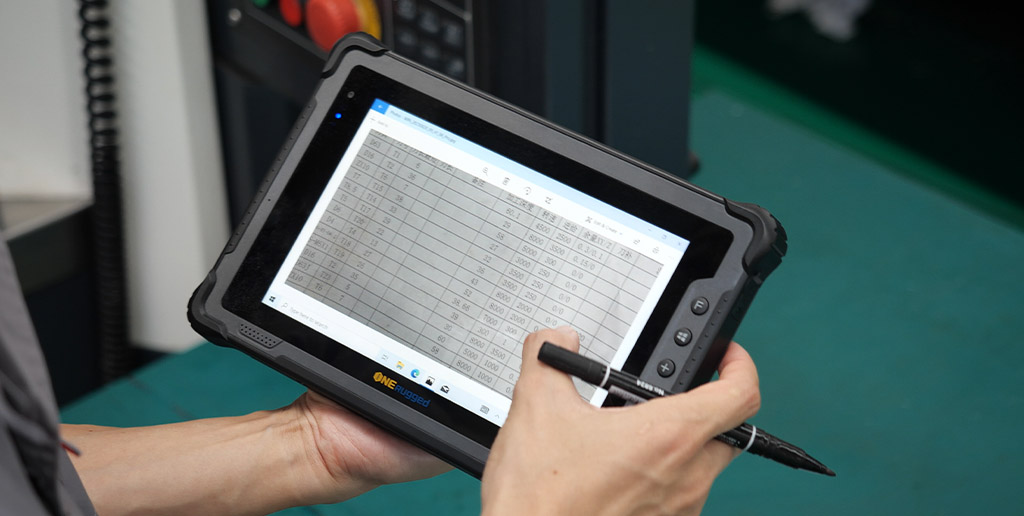
alt="rugged tablets and industrial PDAs"
Key Features and Benefits
The ONERugged Settings Extension is designed to work on all Android models of Onerugged, offering a wide range of functionalities without the need to modify system source code. This ensures a seamless integration into existing workflows, reducing downtime and improving overall operational efficiency.
- System Configuration: Quickly configure system functions such as autostart from boot, disabling services, and MDM (Mobile Device Management).
- Display Settings: Adjust screen orientation and other display settings to optimize the user interface for different environments.
- Memory Management: Disable RAM and manage memory settings to ensure optimal performance and resource allocation.
- Network Settings: Disable Ethernet and edit system APN (Access Point Name) to tailor network configurations to specific requirements.
- Key Settings: Disable the home/menu/back key to prevent unintended actions and enhance security.
- Mass Deployment: Import and export software configurations, facilitating easy and efficient mass deployment across multiple devices.
Industry Use Cases
Metallurgical Blast Furnace Operations
In the harsh and demanding environment of a metallurgical blast furnace, the need for reliable and durable computing solutions is paramount. The ONERugged Settings Extension, with its ability to operate in extreme temperatures and withstand high levels of dust and debris, is an ideal solution. By configuring the system to autostart and disable unnecessary services, operators can ensure that the devices are always ready for use, even in the most challenging conditions. Additionally, the ability to adjust display settings and manage memory ensures that the devices remain responsive and efficient, even under heavy load.
Chemical Hazmat Transport
Transporting hazardous materials requires stringent safety measures and reliable communication. The ONERugged Settings Extension, with its explosion-proof design, is well-suited for this task. By disabling the home/menu/back keys and configuring the network settings, drivers can focus on their tasks without the risk of accidental interruptions or data breaches. The ability to import and export software configurations also ensures that all devices in the fleet are consistently set up, reducing the risk of human error and enhancing overall safety.

alt="rugged computing solutions and vehicle-mounted PCs"
Conclusion
The ONERugged Settings Extension is a versatile and powerful tool that can significantly enhance the efficiency and reliability of enterprise operations. By providing a wide range of configuration options and seamless integration, it offers a cost-effective solution for businesses looking to optimize their workflows and reduce total cost of ownership (TCO). For more information on how Onerugged can help your business, visit the official website: Onerugged.
For further insights into how rugged devices can optimize enterprise workflows, check out our articles on rugged tablets and vehicle-mounted PCs. Additionally, learn how we have optimized plastics factory operations with industrial PDAs.


评论
发表评论