How MDM SYSTEM Rugged Tablets Support Industrial PC Deployments
Field-deployed rugged tablets in manufacturing, energy, and transportation environments don’t just need to survive drops or dust — they need consistent, secure, remote oversight across hundreds of units. That’s where the Onerugged MDM SYSTEM comes into play: not as a bolt-on IT tool, but as an integrated layer built into the device firmware and management workflow.
Factory Floor Device Onboarding with OTA Updater
For IT/DevOps admins managing mixed-device fleets — say, rugged tablets on assembly line carts and industrial PC terminals in control rooms — manual firmware updates are unsustainable. The MDM SYSTEM’s OTA Updater uses differential upgrade technology. That means only changed code blocks are transmitted, cutting bandwidth use and reducing update windows — critical when pushing patches during scheduled maintenance windows, not production shifts.
One-Click Registration and Lifecycle Tracking
No custom scripting or third-party enrollment servers needed. Devices register automatically via QR code or pre-provisioned credentials. Once enrolled, admins see real-time status: battery health, OS version, last connected APN, and even boot-up failure logs. This isn’t theoretical visibility — it’s operational telemetry that feeds directly into existing ITSM tools via standard APIs.
Remote Control for Vehicle PC Deployments with Geofencing
In fleet operations — like delivery vans or utility service trucks — devices must behave differently depending on location and role. The MDM SYSTEM’s geofencing capability doesn’t rely on GPS alone; it layers Wi-Fi SSID detection and cellular tower triangulation for indoor/outdoor continuity. Admins can define zones (e.g., ‘depot yard’, ‘customer site’) and enforce policies: disable camera outside depot, auto-lock screen after 5 minutes idle at non-approved locations, or force app restart when crossing zone boundaries.
App Whitelisting and Boot-Time Enforcement
For frontline users operating rugged tablets in noisy, high-motion environments, accidental app switching or misconfigured settings degrade uptime. MDM lets you pin mission-critical apps to boot, suppress status bars, and blacklist unauthorized installers — all enforced at kernel level, not user layer. No root access required. No local override possible without admin re-authentication.
Secure File Push for Field Maintenance Teams
When technicians in energy or utilities need updated schematics, safety checklists, or calibration certificates, waiting for email sync or USB transfer adds delay and risk. The MDM SYSTEM’s file management supports push notifications tied to document receipt — and enforces format support (PDF, PNG, XML) without requiring client-side conversion tools. Files land directly in designated, encrypted app folders — no manual download, no browser cache exposure.
Enterprise-Grade Policy Deployment Without Overhead
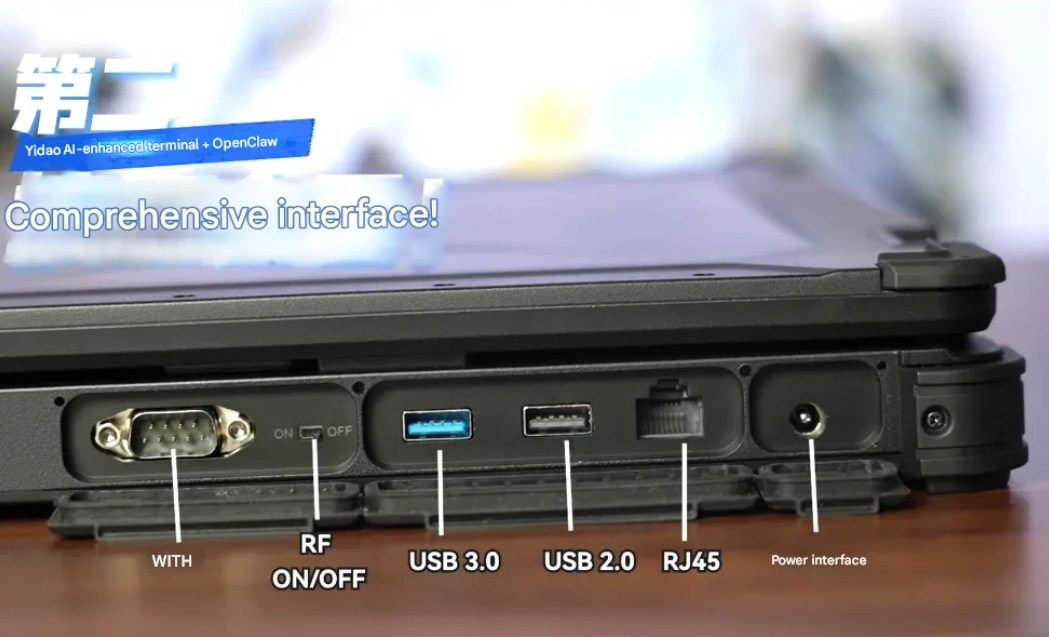
This isn’t just about locking down devices. It’s about scaling configuration: APN profiles for regional carriers, certificate bundles for OT network segmentation, Ethernet port policies for docked vehicle PCs, and key mapping for legacy industrial software that relies on physical function keys. All deployed remotely, version-controlled, and auditable — no field engineer required to visit each unit.


评论
发表评论