The Enterprise Guide to Scaling Rugged Tablets in Manufacturing Workflows
In today's fast-paced manufacturing environments, reliability and efficiency are paramount. Traditional consumer-grade tablets often fall short when faced with the harsh realities of industrial settings, leading to frequent downtime and maintenance costs. This blog delves into the essential considerations for deploying rugged tablets at scale, focusing on Mobile Device Management (MDM), battery management, data security, and docking solutions.
- Deploying rugged tablets can reduce downtime by up to 40%.
- MDM solutions enhance security and streamline device management.
- Hot-swappable batteries ensure continuous operation during shift changes.
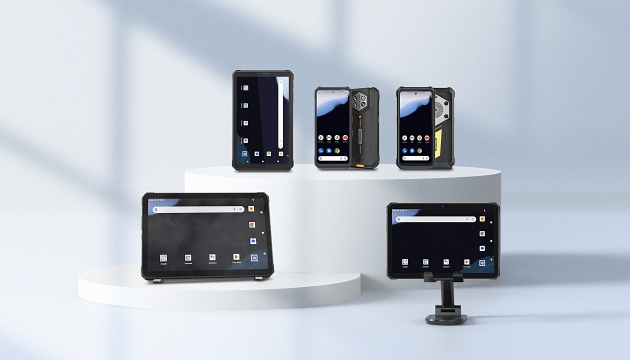
Enhancing Data Security with Advanced MDM Solutions
Effective Mobile Device Management (MDM) is crucial for protecting sensitive data in manufacturing environments. MDM solutions allow IT administrators to remotely manage and secure devices, ensuring compliance with industry standards. Features like remote wipe, app control, and data encryption play a vital role in safeguarding critical information.
Ensuring Continuous Operation with Hot-Swappable Batteries
Shift work in manufacturing demands uninterrupted productivity. Rugged tablets equipped with hot-swappable batteries enable seamless transitions between shifts without interrupting operations. This feature ensures that workers can swap out batteries quickly, minimizing downtime and maximizing efficiency.
Streamlining Deployment with Import and Export Software Configurations
Mass deployment of rugged tablets can be streamlined with import and export software configurations. The ONERugged Settings Extension facilitates easy configuration and deployment across multiple devices, reducing setup time and ensuring consistency. This capability is particularly beneficial for large-scale deployments in manufacturing facilities.

| Feature | Description |
|---|---|
| Works on All Android Models | Compatible with all Android devices from ONERugged. |
| System Configuration | Quickly configures system functions without modifying source code. |
| Operation Settings | Includes autostart from boot, disabling services, and MDM support. |
| Display Settings | Adjusts screen orientation. |
| Memory Settings | Disables RAM. |
| Network Settings | Disables Ethernet and edits system APN. |
| Key Settings | Disables home/menu/back key. |
| Software Configurations | Imports and exports configurations for mass deployment. |
What is the ONERugged Settings Extension?
The ONERugged Settings Extension provides additional features and content that extend Android devices to meet specific needs and improve application efficiency.
How does the Settings Extension support system functions?
The extension quickly configures system functions without modifying system source code, enhancing user experience.
Can the Settings Extension be used with all ONERugged Android devices?
Yes, the extension works on all Android models from ONERugged.
What types of settings can be managed through the ONERugged Settings Extension?
The extension supports operation settings, display settings, memory settings, network settings, and key settings.


评论
发表评论